Feedback Submission
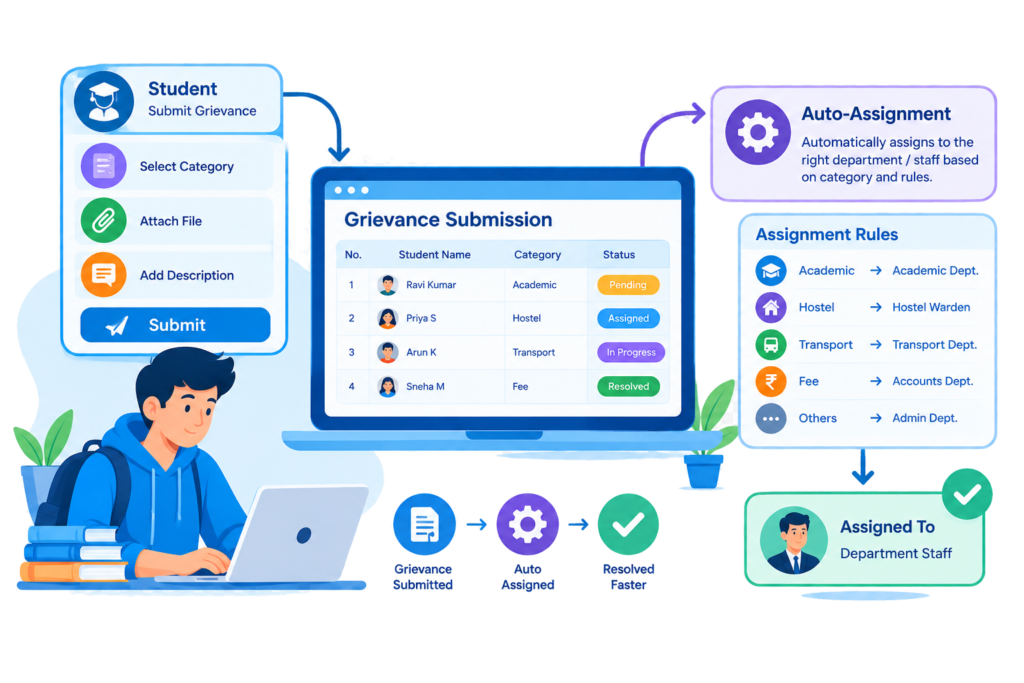
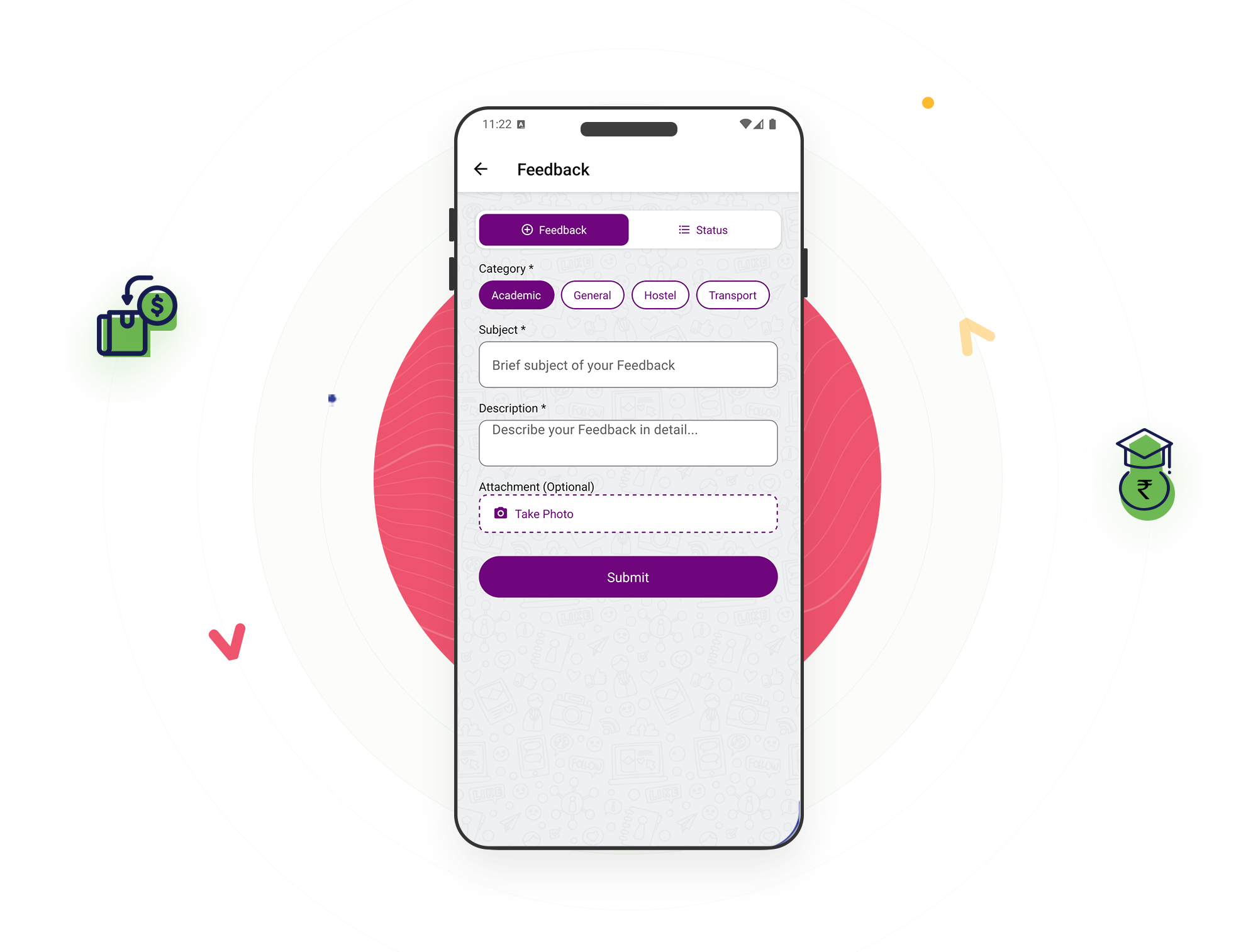
Students raise a Feedback directly through the app, selecting a category, whether it’s Academic, Administrative, or another type your institution has defined, along with a priority level and a description of the issue. There’s no need to know who specifically to contact, the concern is submitted once and routed from there.
Key Features of bloombyte ERP
Student Feedback Submission & Auto-Assignment in ERP
The moment a Feedback is submitted, it’s automatically assigned to whichever staff member is configured as the lead incharge for that specific category and college, based on priority order. If no incharge has been configured yet for that category, the Feedback is still recorded and simply waits, unassigned, until one is.
Before a new Feedback is accepted, the system checks whether the same student has already submitted an identical one, matching the exact same title, description, category, and status. This stops a student’s repeated taps or a confused resubmission from cluttering the queue with duplicate copies of the same underlying concern.
Every Feedback carries a priority level set by the student at submission, giving staff a way to distinguish an urgent concern from a routine one at a glance, rather than working through every open Feedback in the order it happened to arrive regardless of how serious or time-sensitive it actually is.