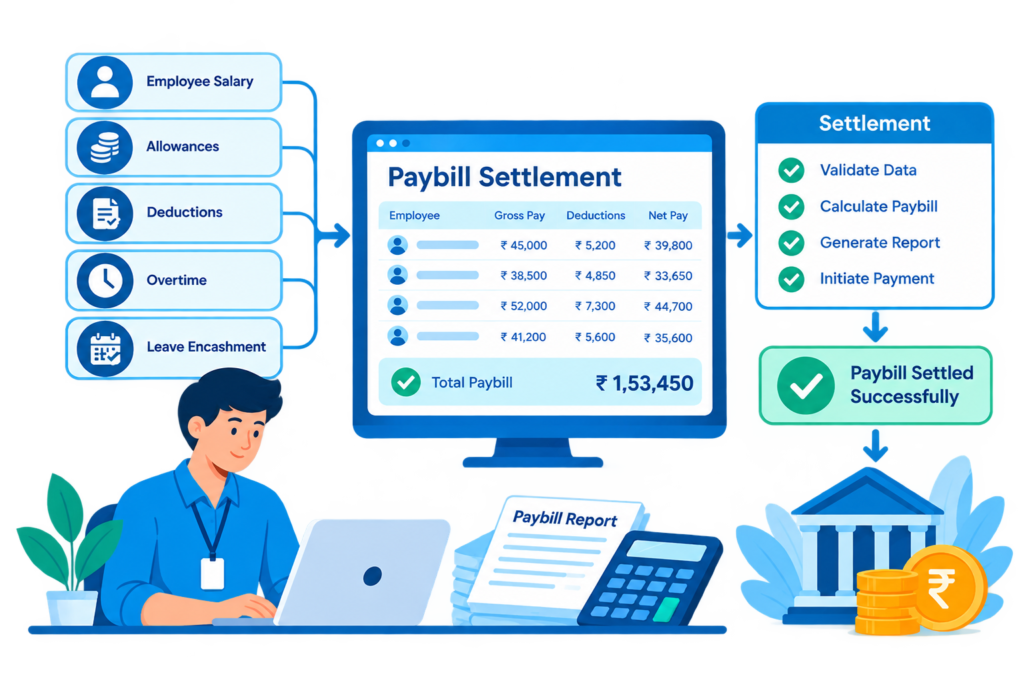
Paybill Settlement
Once a monthly payroll has been finalized and a settlement date has been recorded, the system prevents any further changes to that payroll. This protects salary records from accidental modifications after the payment process has been completed. If someone tries to generate the same payroll again after settlement, the system rejects the attempt.
Key Features of bloombyte ERP
Paybill Settlement & Lock Controls in ERP
Before generating monthly payroll, the system checks whether each employee’s attendance records contain the required number of working days for that month. If the attendance information is incomplete, the payroll process is stopped until the issue is addressed. This helps prevent incorrect salary calculations caused by missing attendance records.
If an employee’s recorded working days exceed the maximum number of working days expected for that month, the system corrects the total before calculating the salary. This helps prevent attendance data errors from resulting in incorrect salary amounts.
The system clearly distinguishes between payroll that is still being prepared and payroll that has been finalized and settled. This gives the finance team better control over salary processing, helps maintain accurate records for audits, and makes it easier to identify which payrolls can still be corrected and which have been officially finalized.